This guide targets small apps with one or a few users (an admin panel, a dashboard, an internal tool). For public sign-up flows with password resets, social login and MFA, use a maintained library such as Auth.js instead of rolling your own.
Why authentication deserves more paranoia than the rest of your code
Most features fail loudly. A broken button gets a bug report within the hour. A broken authentication check fails silently: everything works perfectly for legitimate users, and the only person who notices the hole is the one exploiting it.
That asymmetry is why I treat every login system I build as if it will be attacked on day one — because on the public internet, it will be. Bots probe /admin, /wp-login.php and /api/login on every new domain within hours of the first certificate being issued.
In this article I will walk through how I secure the admin panel of a Next.js (App Router) application end to end. Every snippet is real, minimal and built around the same principle: defense in depth. No single control is trusted to be enough on its own.
Start with a threat model, not with code
Before writing a line of code, write down what you are defending against. For a small admin panel the list is short, and each item maps to a concrete control:
| Threat | What it looks like | Primary defense |
|---|---|---|
| Credential stuffing / brute force | Thousands of password guesses per minute | Rate limiting, strong secret, generic errors |
| Session theft via XSS | Injected script reads the token | HttpOnly cookies — JavaScript cannot read them |
| Session theft via network | Token sniffed on public Wi-Fi | HTTPS only, Secure cookie, HSTS |
| CSRF | Another site makes your browser POST to your API | SameSite cookies plus an Origin check |
| Forged tokens | Attacker crafts their own "admin" token | Signed tokens, pinned algorithm, strong secret |
| Timing attacks | Response time reveals how many characters matched | Constant-time comparison |
| Broken access control | A route forgets to check the session | Check inside every handler, not only in a layout |
Notice that "someone guesses the password" is only one row of seven. Most real-world authentication incidents are not cryptographic failures; they are integration failures — a forgotten check, a missing flag, a copy-pasted route.
Sessions vs JWTs: what is the real difference?
The internet is full of heated opinions here, so let me reduce it to the one distinction that matters: where does the truth live?
- Server-side sessions store the session state in a database or cache. The cookie only holds an opaque random ID. Revoking access is trivial — delete the row.
- Stateless tokens (JWT) carry the claims inside the token itself, signed by the server. There is nothing to look up, which is fast and simple, but you cannot revoke a token before it expires unless you add state back (a denylist or a version counter).
Neither is "more secure" in the abstract. They fail differently:
- A stolen session ID and a stolen JWT are equally bad until they expire or are revoked.
- JWTs make the logout everywhere and ban this user now requirements painful.
- Sessions make horizontal scaling and edge runtimes slightly more annoying because every request needs a lookup.
For a single-admin panel, a short-lived signed JWT in an HttpOnly cookie is a perfectly good choice: there is exactly one identity, the blast radius is small, and expiry handles the rest. For a multi-user product with roles and account deletion, I would reach for database sessions.
Rule of thumb: if you need to be able to say "that person is locked out right now", you need server-side state. Design for it from the start.
Never compare passwords with ===
Even in the simplest setup — one admin password stored in an environment variable — the comparison itself can leak information. A naive input === expected short-circuits at the first differing character, which in theory lets an attacker measure tiny timing differences.
The fix is a constant-time comparison. There is one subtlety: crypto.timingSafeEqual throws if the two buffers have different lengths, and checking the length first would leak the length. Hashing both sides to a fixed size solves both problems:
import { createHash, timingSafeEqual } from "node:crypto";

const sha256 = (value: string) =>
  createHash("sha256").update(value).digest();

export function verifyPassword(input: string): boolean {
  const expected = process.env.ADMIN_PASSWORD;
  if (!expected || !input) return false;

  // Both digests are 32 bytes, so lengths always match.
  return timingSafeEqual(sha256(input), sha256(expected));
}
If you store user passwords, this is not enough. Use a slow, salted, memory-hard hash — argon2id (preferred) or bcrypt — and never a fast hash like SHA-256 on its own. Fast hashes are designed to be fast, which is exactly what a GPU cracking rig wants.
Cookie flags are your first line of defense
A cookie without the right attributes is a liability. Here is what each flag buys you:
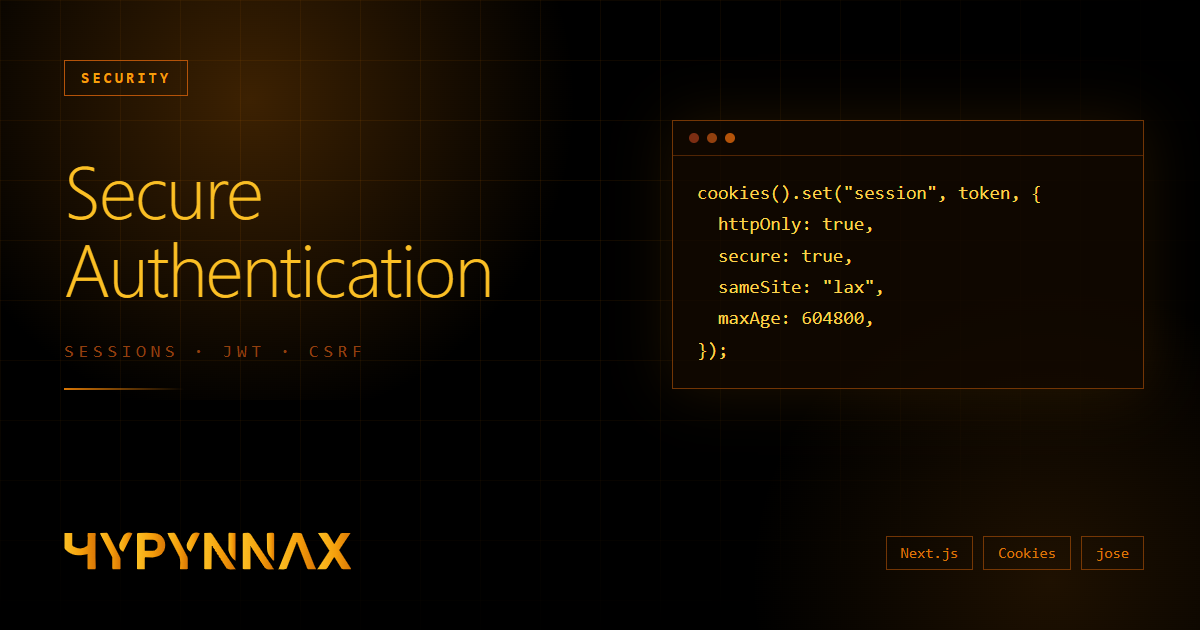
HttpOnly— the browser refuses to expose the cookie todocument.cookie. If an attacker finds an XSS hole, they still cannot exfiltrate the session token.Secure— the cookie is only ever sent over HTTPS.SameSite=Lax— the cookie is not attached to cross-site POST requests, which neutralises the classic CSRF attack.Strictis even tighter but breaks links coming from other sites (you would appear logged out when following a link from an email).Path=/and a boundedMax-Age— keep the lifetime short. A seven-day session is a reasonable ceiling for an admin; a day is better if you can live with it.
In the App Router, cookies() is asynchronous in recent versions, so remember the await:
import { cookies } from "next/headers";

export async function setSessionCookie(token: string) {
  const jar = await cookies();
  jar.set("admin_session", token, {
    httpOnly: true,
    secure: process.env.NODE_ENV === "production",
    sameSite: "lax",
    path: "/",
    maxAge: 60 * 60 * 24 * 7, // 7 days
  });
}
For an extra layer, name the cookie with the __Host- prefix (__Host-session). Browsers then enforce that it is Secure, has Path=/ and no Domain attribute, which prevents sibling subdomains from overwriting it.
Signing tokens with jose
JSON Web Tokens are just three base64url segments — header, payload, signature. Anyone can read the payload; the signature only proves nobody changed it. That single fact explains most JWT vulnerabilities:
- Never put secrets in the payload.
- Never call
decode()and trust the result — always verify the signature. - Never let the token choose its own algorithm. Pin it on the verifying side.
I use jose because it runs in Node, the Edge runtime and browsers, and it has a small, hard-to-misuse API:
import { SignJWT, jwtVerify } from "jose";

const secret = new TextEncoder().encode(process.env.AUTH_SECRET);

export async function createToken() {
  return new SignJWT({ role: "admin" })
    .setProtectedHeader({ alg: "HS256" })
    .setIssuedAt()
    .setExpirationTime("7d")
    .sign(secret);
}

export async function verifyToken(token: string | undefined) {
  if (!token) return false;
  try {
    const { payload } = await jwtVerify(token, secret, {
      algorithms: ["HS256"], // pin the algorithm
    });
    return payload.role === "admin";
  } catch {
    return false; // expired, malformed or forged
  }
}
Two operational notes. First, the AUTH_SECRET should be long and random — 32 bytes or more, generated with openssl rand -base64 32, not a word. Second, rotating it invalidates every outstanding session at once, which is a useful emergency lever if you ever suspect a leak.
Protect every handler, not just the layout
Here is the mistake I see most often. A developer adds a redirect to the admin layout — "if not logged in, go to /login" — and considers the panel secured. But layouts protect pages, not data. The admin UI fetches its data from API routes, and those routes are reachable directly with curl, no layout involved.
Every route handler must authenticate on its own:
// lib/auth.ts
export async function guard(req: Request): Promise<Response | null> {
  if (!(await isAdmin())) {
    return Response.json({ error: "Unauthorized" }, { status: 401 });
  }
  return null;
}

// app/api/admin/projects/route.ts
export async function GET(req: Request) {
  const denied = await guard(req);
  if (denied) return denied;

  // ...only reached by an authenticated admin
}
This is not theoretical. In March 2025 a critical Next.js vulnerability (CVE-2025-29927) showed that middleware-only authorisation could be bypassed by sending a crafted internal header. Applications that also checked the session inside their route handlers were unaffected. Middleware is a fine place for a fast redirect; it should never be the only lock on the door.
CSRF: SameSite is good, an Origin check is better
SameSite=Lax already stops the cookie from being sent on cross-site POSTs in modern browsers. I still add an explicit Origin check on every state-changing request, because it costs three lines and covers edge cases such as older browsers and misconfigured proxies:
if (!["GET", "HEAD", "OPTIONS"].includes(req.method)) {
  const origin = req.headers.get("origin");
  const host = req.headers.get("host");
  if (origin && host && new URL(origin).host !== host) {
    return Response.json({ error: "Invalid origin" }, { status: 403 });
  }
}
Combine that with a rule that all mutations use POST, PUT, PATCH or DELETE with a JSON body. A cross-site HTML form cannot send Content-Type: application/json, so those requests are blocked before your code even runs.
Rate limiting and generic errors
A login endpoint without rate limiting is an invitation. Even a crude limiter turns "millions of guesses" into "a handful per quarter hour":
const hits = new Map<string, number[]>();

export function rateLimit(key: string, limit: number, windowMs: number) {
  const now = Date.now();
  const recent = (hits.get(key) ?? []).filter((t) => now - t < windowMs);
  if (recent.length >= limit) return false;
  recent.push(now);
  hits.set(key, recent);
  return true;
}
There is an honest caveat: in a serverless deployment each instance has its own memory, so this limiter is per instance. It stops casual abuse but not a distributed attacker. For serious protection, back it with a shared store — Redis/Upstash, or a MongoDB collection with a TTL index — and add an edge-level rule from your CDN or WAF.
Two more habits that cost nothing:
- Return one generic message ("Wrong password", or for user accounts "Invalid email or password"). Different messages for "no such user" and "wrong password" let attackers enumerate valid accounts.
- Log failures, never secrets. Log the IP and timestamp; never log the attempted password, even for failed attempts — people mistype real passwords into the wrong field.
Logout, rotation and the honest limits of JWTs
Logging out with a stateless token means deleting the cookie. That clears the browser, but a copy of the token that was already stolen stays valid until it expires. Mitigations, from cheapest to most thorough:
- Keep the lifetime short (hours or days, not months).
- Store a
tokenVersionon the user and embed it in the token; incrementing it invalidates all older tokens. - Keep a small denylist of revoked token IDs (
jti) until they would have expired anyway. - Move to database-backed sessions when the product needs real revocation.
Security headers worth setting today
Authentication is one layer; the browser can enforce several more if you ask it to. In next.config.ts:
const securityHeaders = [
  { key: "X-Content-Type-Options", value: "nosniff" },
  { key: "X-Frame-Options", value: "DENY" },
  { key: "Referrer-Policy", value: "strict-origin-when-cross-origin" },
  {
    key: "Strict-Transport-Security",
    value: "max-age=63072000; includeSubDomains; preload",
  },
];

export default {
  async headers() {
    return [{ source: "/admin/:path*", headers: securityHeaders }];
  },
};
A strict Content-Security-Policy is the single most effective mitigation against XSS, but it needs care with Next.js inline scripts — start in report-only mode, read the violations, then enforce.
The checklist I run before shipping any login
- Passwords compared in constant time (or hashed with argon2id/bcrypt for user accounts)
- Session token in an
HttpOnly,Secure,SameSite=Laxcookie with a bounded lifetime - Tokens signed and verified, algorithm pinned, secret ≥ 32 random bytes
- Authentication enforced inside every API route, independent of layouts and middleware
-
Origincheck on state-changing requests - Rate limiting on login, backed by a shared store in production
- Generic error messages, no secrets in logs
- Admin routes excluded from search engines (
robots,noindex) and sent security headers - A plan for revocation: short expiry, rotation, or server-side sessions
- Secrets in environment variables, never committed, and
.env*in.gitignore
Closing thoughts
None of these techniques is exotic. Security in web applications is rarely about clever cryptography — it is about consistently doing the boring things right, on every route, every time. The attackers only need you to forget once.
If you take one idea from this article, let it be this: assume every single layer will eventually fail, and make sure the next layer catches it.