Examples use Mongoose with Node.js, but the modelling ideas apply to any MongoDB driver.
The mindset shift that makes MongoDB click
If you come from SQL, your instinct is to draw entities, normalise everything into tables and join at read time. That instinct is valuable — and in MongoDB it will quietly work against you.
MongoDB is a document database. The unit of storage and atomicity is a whole document, and its query language is built to fetch a document (or a slice of one) in a single round-trip. The design question therefore flips:
Relational design asks: "What are the entities and how are they related?" Document design asks: "How will the application read and write this data?"
Model around access patterns, not around a diagram. Write down the five or six queries your application performs most often, and shape your documents so that each of them touches as few documents as possible.
A worked example: a portfolio backed by MongoDB
I will use a real project — a portfolio site with projects, blog posts, work experience, contact messages and uploaded images — because it contains almost every modelling decision you will meet in practice.
The application's access patterns:
- The home page lists projects, newest first, showing name, short description, tags and a cover image.
- A project page shows everything about one project: features, metrics, architecture notes, gallery.
- The blog lists posts by date, filtered by category, without loading article bodies.
- A visitor submits a contact message; the owner reads them in an inbox.
- Images are uploaded from an admin panel and served publicly, forever, with caching.
Let me turn these into schemas.
Embed or reference? Use these rules
The most common modelling question has a surprisingly compact answer. Embed when data is read together and bounded; reference when it is large, shared or unbounded.
| Situation | Choose | Reason |
|---|---|---|
| One-to-few, always read with the parent (project metrics) | Embed | One read, one atomic write |
| One-to-many, but the "many" is bounded (features of a project) | Embed | Small, cannot grow forever |
| One-to-huge or unbounded (comments on a viral post) | Reference | The 16 MB document limit and rewrite cost |
| Data shared by many parents (a tag catalogue, an author) | Reference | Update once, not everywhere |
| Data with an independent lifecycle (messages in an inbox) | Separate collection | Queried and deleted on its own |
| Read rarely, written often, next to hot data | Separate collection | Keeps the hot document small |
Applied to the project model, the metrics and architecture notes belong inside the project document because they are only ever shown with it and there are never more than a handful:
const ProjectSchema = new Schema(
  {
    slug: { type: String, required: true, unique: true },
    name: { type: String, required: true },
    desc: String,
    tech: [String],                         // embedded array of strings
    stats: [{ label: String, value: String, unit: String }], // embedded subdocuments
    architecture: [{ title: String, desc: String }],
    image: String,                          // URL of the cover image
    published: { type: Boolean, default: true },
    order: { type: Number, index: true },
  },
  { timestamps: true },
);
One query, findOne({ slug }), returns everything the project page needs. No joins, no second round-trip.
Contact messages, on the other hand, live in their own collection. They are written by anonymous visitors, read by the owner in a totally different screen, and deleted independently. Embedding them anywhere would be wrong.
Indexes: the difference between milliseconds and minutes
Without an index, MongoDB scans every document in the collection to answer a query. With a few hundred documents you will never notice; with a few million, it is an outage. Design indexes deliberately, from your access patterns.
Single-field and unique indexes
The slug is a lookup key and must be unique, so declare it once and get both benefits — a fast lookup and a guarantee that two projects never collide:
slug: { type: String, required: true, unique: true }
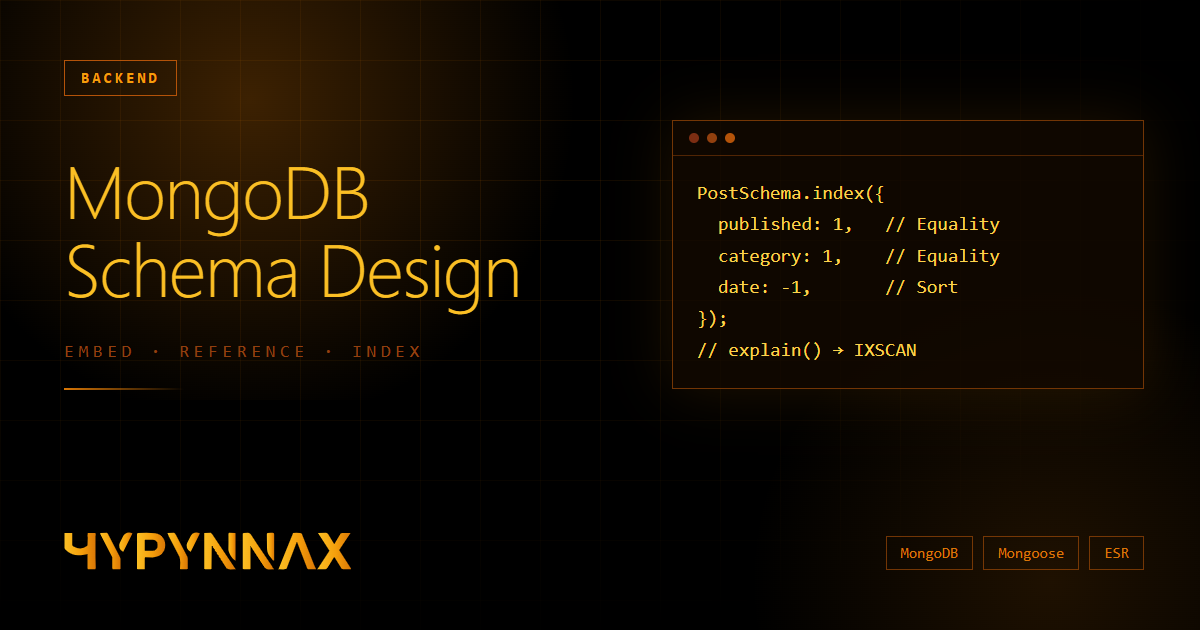
Compound indexes and the ESR rule
For queries with several conditions, a compound index is far more effective than several single-field ones. The order of the fields matters, and a reliable guideline is the ESR rule:
- Equality fields first (exact matches such as
published: true) - Sort fields next
- Range fields last (
$gt,$lt,$inwith many values)
The blog listing filters by published state and category, and sorts by date. That maps directly to an index:
// Equality: published, category → Sort: date (descending)
PostSchema.index({ published: 1, category: 1, date: -1 });

// The query it serves efficiently
PostModel.find({ published: true, category: "Security" })
  .sort({ date: -1 })
  .limit(10);
Prove it with explain()
Never assume an index is used. Ask the database:
db.posts
  .find({ published: true, category: "Security" })
  .sort({ date: -1 })
  .explain("executionStats");
Look at winningPlan. You want to see IXSCAN (index scan) and totalDocsExamined close to nReturned. A COLLSCAN stage means a full collection scan — the query is not using your index.
Two more useful index types
-
TTL indexes delete documents automatically after a time. Perfect for rate-limit counters, password-reset tokens and sessions:
typescriptAttemptSchema.index({ createdAt: 1 }, { expireAfterSeconds: 900 }); // 15 minutes -
Partial indexes index only the documents that match a filter, keeping the index small:
{ partialFilterExpression: { published: true } }.
Indexes are not free. Each one slows writes and consumes memory, so add the ones your queries need and drop the ones they do not.
Read only what you need: projection and lean()
The blog list does not need the body of every article — and an article body can be tens of kilobytes. Fetching it for twenty posts just to show titles is wasteful:
const posts = await PostModel.find({ published: true })
  .select("-content -note")   // exclude the heavy fields
  .sort({ date: -1 })
  .lean();                    // plain objects, not Mongoose documents
lean() skips hydrating full Mongoose documents (change tracking, getters, virtuals). For read-only endpoints it is typically noticeably faster and lighter on memory. Do not use it when you plan to call .save() on the result.
Pagination that stays fast
skip(n).limit(m) is easy and fine for small offsets, but MongoDB still has to walk past all the skipped documents. Page 5,000 is far slower than page 1. For infinite feeds and large collections, use keyset (cursor) pagination on an indexed field:
// First page
const page = await PostModel.find().sort({ date: -1, _id: -1 }).limit(20);

// Next page: continue strictly after the last item of the previous page
const next = await PostModel.find({
  $or: [
    { date: { $lt: last.date } },
    { date: last.date, _id: { $lt: last._id } },
  ],
})
  .sort({ date: -1, _id: -1 })
  .limit(20);
Including _id as a tiebreaker guarantees a stable order when several posts share a date.
Serverless: connections are the trap
Traditional servers open a database connection once and reuse it for the life of the process. Serverless functions can start a fresh instance per request, and a naive mongoose.connect() inside a handler can open a new connection every time until Atlas refuses with a "too many connections" error.
The standard fix is to cache the connection promise on globalThis, which survives hot reloads in development and warm invocations in production:
import mongoose from "mongoose";

const g = globalThis as unknown as {
  _mongoose?: { conn: typeof mongoose | null; promise: Promise<typeof mongoose> | null };
};
const cache = (g._mongoose ??= { conn: null, promise: null });

export async function connectDB() {
  if (cache.conn) return cache.conn;

  cache.promise ??= mongoose.connect(process.env.MONGODB_URI!, {
    bufferCommands: false,          // fail fast instead of queueing forever
    serverSelectionTimeoutMS: 8000,
  });

  try {
    cache.conn = await cache.promise;
  } catch (error) {
    cache.promise = null;           // allow a retry on the next request
    throw error;
  }
  return cache.conn;
}
Two details matter: resetting promise on failure (otherwise one bad connection poisons every later request) and bufferCommands: false, which turns a silent hang into a clear error.
Storing files: what fits in MongoDB and what does not
A single document is limited to 16 MB. That gives you three realistic options for uploaded files:
| Approach | Good for | Trade-off |
|---|---|---|
Store bytes in a Buffer field | Small images (up to a few MB), simple setups | Document size limit; the bytes ride along in queries unless excluded |
| GridFS | Large files (over 16 MB), streaming | Two collections, slightly more code |
| Object storage (S3, R2, Cloudinary) + store the URL | Anything at scale, CDN delivery | Another service and another bill |
For a portfolio with a few dozen screenshots, a Buffer field in a dedicated media collection is honest and simple — as long as you obey three rules:
- Never return the
datafield from list queries:.select("-data"). - Serve files through a route that sets
Cache-Control: public, max-age=31536000, immutableand anETag. Treat uploads as immutable — a replaced image gets a new id — so aggressive caching is safe. - Compress images before upload (the browser can downscale to WebP), keeping each file well below the request size limit of your host.
Validation and mass assignment
Mongoose schemas give you types and required checks, but two habits protect you from the subtler bugs:
- Never pass
req.bodystraight intocreate()orupdate(). An attacker can send{ "role": "admin" }or{ "_id": "..." }and, depending on your schema, have it applied. Strip protected keys and validate the shape at the API boundary. - Prefer
$setfor updates and userunValidators: true— update operations skip schema validators by default.
const PROTECTED = ["_id", "__v", "createdAt", "updatedAt"];

function sanitize(body: Record<string, unknown>) {
  const data = { ...body };
  for (const key of PROTECTED) delete data[key];
  return data;
}

await ProjectModel.findByIdAndUpdate(
  id,
  { $set: sanitize(body) },
  { new: true, runValidators: true },
);
Avoid the Mixed type for anything you query on. It disables casting and validation for that path, and Mongoose will not notice when you modify it in place.
Migrations without fear
Schemaless does not mean schema-free. Your code always assumes a shape, and that shape evolves. Old documents will not magically gain new fields, so plan for it:
- Give new fields safe defaults and make the reading code tolerate
undefined. - Write idempotent migration scripts — running one twice must be harmless. Upserts keyed by a natural key (
slug) are ideal. - Keep a
schemaVersionfield on documents whose structure changes significantly, and migrate lazily when a document is read or written.
A pre-flight checklist
- I can list my top queries, and every one is served by an index (
explain()showsIXSCAN) - Bounded, co-read data is embedded; unbounded or independent data has its own collection
- List endpoints use projection and
lean(); heavy fields are excluded - Large offsets use cursor pagination
- The connection is cached on
globalThis, with failure reset - Request bodies are sanitised before they touch the database
- Uploaded files have a size budget, cache headers and are never returned in list queries
- Backups are enabled and I have tested restoring one
Conclusion
MongoDB rewards you for thinking like the application rather than like the database. Start from the reads, embed what travels together, reference what does not, and let the queries you actually run dictate your indexes. Do that, and a small free-tier cluster will comfortably power far more than a personal site.