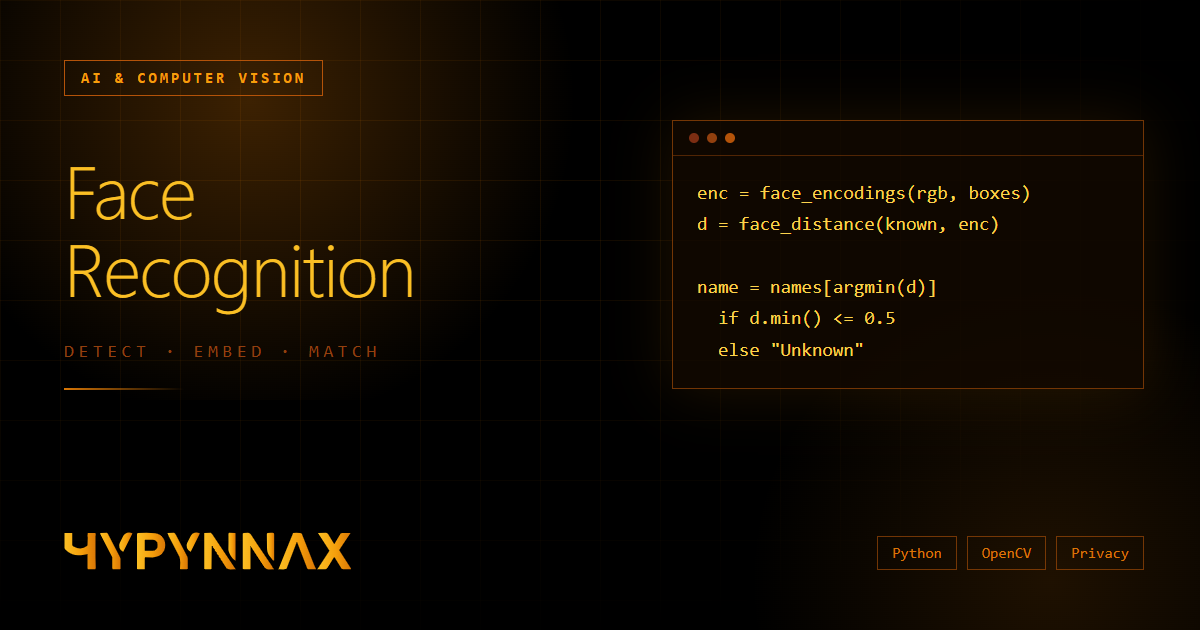
Facial recognition processes biometric data, which is legally sensitive (KVKK in Turkey, GDPR in the EU and similar laws elsewhere). Read the privacy section before deploying anything that identifies real people.
Detection is not recognition
Beginners often use the two words interchangeably, and that confusion causes real design mistakes. They are different problems solved by different models:
- Face detection answers "is there a face here, and where?" The output is a bounding box.
- Face recognition answers "whose face is this?" (identification) or "is this the same person as that photo?" (verification).
A complete system chains several stages. Understanding each one tells you where to look when accuracy disappoints.
The four-stage pipeline
- Detect — find every face in the frame and return boxes (and optionally landmarks such as eyes and nose).
- Align / normalise — crop the face, rotate it so the eyes are level, resize to the size the model expects.
- Embed — a neural network converts the aligned face into a fixed-length vector (an embedding), for example 128 or 512 numbers. Faces of the same person land close together in that vector space; different people land far apart.
- Compare — measure the distance between the new embedding and stored ones, and apply a threshold to decide match or no match.
The crucial insight is in stage 3: you never store or compare photos, you compare vectors. That is what makes recognition fast and, done right, more privacy-friendly than keeping galleries of raw images.
Choosing a detector
| Detector | Speed | Accuracy | Notes |
|---|---|---|---|
| OpenCV Haar cascade | Very fast on CPU | Weak — misses angled faces, false positives | Fine for prototypes and controlled frontal cameras |
| dlib HOG | Fast on CPU | Decent for frontal faces | The default in the face_recognition library |
| dlib CNN / OpenCV DNN (SSD, ResNet) | Slower (GPU helps a lot) | Much better with angles, lighting, small faces | A solid modern baseline |
| MTCNN / RetinaFace / YuNet | Moderate | Strong, returns landmarks for alignment | Good choices when alignment quality matters |
My rule: start with the simplest detector that works on your real camera footage, not on tutorial images. Then measure.
A working recogniser in about thirty lines
The face_recognition package wraps dlib's models and gives 128-dimensional embeddings. Install it together with OpenCV (dlib needs a C++ build toolchain on most systems):
pip install opencv-python face_recognition numpy
Step 1 — enrol known people. Compute one embedding per reference photo and keep them next to the person's name.
import face_recognition

def enrol(name: str, image_path: str):
    image = face_recognition.load_image_file(image_path)   # RGB numpy array
    encodings = face_recognition.face_encodings(image)     # one vector per detected face

    if len(encodings) != 1:
        raise ValueError(f"{image_path}: expected exactly 1 face, found {len(encodings)}")

    return name, encodings[0]

known = [enrol("Alice", "alice_1.jpg"), enrol("Bob", "bob_1.jpg")]
known_names = [n for n, _ in known]
known_vectors = [v for _, v in known]
Notice the strictness: an enrolment photo with zero or several faces is rejected, not guessed. Silent bad enrolments are one of the most common sources of mysterious mismatches later.
Step 2 — identify faces from a webcam in real time.
import cv2
import numpy as np
import face_recognition

TOLERANCE = 0.5            # lower = stricter (default library value is 0.6)
SCALE = 0.25               # process a quarter-size frame for speed

capture = cv2.VideoCapture(0)

while True:
    ok, frame = capture.read()
    if not ok:
        break

    small = cv2.resize(frame, (0, 0), fx=SCALE, fy=SCALE)
    rgb = cv2.cvtColor(small, cv2.COLOR_BGR2RGB)     # OpenCV is BGR, the library wants RGB

    boxes = face_recognition.face_locations(rgb)
    encodings = face_recognition.face_encodings(rgb, boxes)

    for (top, right, bottom, left), encoding in zip(boxes, encodings):
        distances = face_recognition.face_distance(known_vectors, encoding)
        best = int(np.argmin(distances))
        name = known_names[best] if distances[best] <= TOLERANCE else "Unknown"

        # Scale the box back up to the original frame size
        top, right, bottom, left = (int(v / SCALE) for v in (top, right, bottom, left))
        cv2.rectangle(frame, (left, top), (right, bottom), (0, 165, 255), 2)
        cv2.putText(frame, f"{name} {distances[best]:.2f}", (left, top - 8),
                    cv2.FONT_HERSHEY_SIMPLEX, 0.6, (0, 165, 255), 2)

    cv2.imshow("Recognition", frame)
    if cv2.waitKey(1) & 0xFF == ord("q"):
        break

capture.release()
cv2.destroyAllWindows()
Three details in that loop matter far more than they look:
- The BGR/RGB swap. Feeding OpenCV's BGR frames straight into the library silently degrades accuracy — the code still "works", it just recognises worse.
- Downscaling to 25% makes detection roughly an order of magnitude cheaper; you scale the boxes back for display. Very small faces will be missed, so tune
SCALEfor your camera distance. - Showing the distance on screen. Numbers beat intuition when you tune the threshold.
Distance and threshold: where accuracy is really decided
Two embeddings are compared by distance. The library's dlib model uses Euclidean distance and the documented default tolerance is 0.6; many practitioners use 0.5 or lower to reduce false matches. Modern models such as ArcFace produce 512-dimensional vectors and are normally compared with cosine similarity, with thresholds around a similarity of 0.3–0.5 depending on the model — always take the recommended value from the model's own documentation and validate it yourself.
The threshold is a business decision disguised as a number, because every system makes two kinds of errors:
- False Accept Rate (FAR) — a stranger is accepted as a known person. Dangerous in access control.
- False Reject Rate (FRR) — a known person is rejected. Annoying in access control, but harmless in a photo-tagging app.
Lowering the threshold reduces FAR and raises FRR; raising it does the opposite. The point where the two rates cross is the Equal Error Rate (EER), a handy single number for comparing models.
Tune it with data, not guesses
Build a small evaluation set from your real deployment conditions — your camera, your lighting, your population — with genuine pairs (same person) and impostor pairs (different people). Then sweep the threshold:
import numpy as np

def far_frr(genuine, impostor, threshold):
    """genuine / impostor: arrays of distances. Match when distance <= threshold."""
    far = np.mean(np.asarray(impostor) <= threshold)   # impostors wrongly accepted
    frr = np.mean(np.asarray(genuine) > threshold)     # genuine users wrongly rejected
    return far, frr

for t in np.arange(0.3, 0.8, 0.05):
    far, frr = far_frr(genuine_distances, impostor_distances, t)
    print(f"threshold={t:.2f}  FAR={far:.3%}  FRR={frr:.3%}")
Pick the threshold whose error profile matches the cost of being wrong in your application, then re-measure whenever the camera or environment changes.
Why it works in the lab and fails in the lobby
Accuracy in production is dominated by conditions, not by the model. The usual suspects:
- Lighting — strong backlight or harsh shadows change the pixels more than a different person would. Add light, avoid windows behind the subject.
- Pose — faces turned more than roughly 30–40 degrees degrade sharply. Place the camera at face height.
- Resolution — you need enough pixels on the face; around 80–100 pixels between the eyes is a common practical target for dependable recognition.
- Occlusion — masks, sunglasses and hats hide the features the model relies on.
- Enrolment quality — one blurry photo produces a bad reference for life. Enrol several images per person across conditions and keep a set of embeddings or their mean.
- Dataset bias — models trained on unbalanced data are measurably less accurate for some demographic groups. Test on the people who will actually use your system.
Liveness: a photo of a face is not a face
A recognition system that only compares embeddings can be fooled by holding up a printed photo or a phone screen (a presentation attack). Any system that grants access — doors, payments, logins — needs liveness detection (anti-spoofing): blink or head-movement challenges, depth or infrared sensors, or dedicated anti-spoofing models. Treat plain recognition as an identification signal, never as sufficient proof of presence on its own.
Performance for real-time use
- Detect on a downscaled frame; recognise only the faces found.
- Skip frames — running the full pipeline on every second or third frame is usually indistinguishable to a human.
- Track faces between detections (simple centroid tracking is enough) and re-identify only new faces, instead of re-embedding the same person 30 times per second.
- Use a GPU (or an accelerator such as a Coral or a Jetson) if you need many streams; on CPU, prefer lighter detectors.
- Keep the gallery in a NumPy matrix and compute all distances in one vectorised call; for thousands of identities, add an approximate nearest-neighbour index such as FAISS.
Facial analysis is not mind-reading
Projects often add emotion analysis on top of recognition. Be honest about its limits: models classify facial expressions (a smile, a frown), which is not the same as a person's internal emotional state, and research has shown that expression does not map reliably onto feelings across people and cultures. It is fine for a demo or aggregate, low-stakes analytics. It is not appropriate as the sole basis for decisions about a person — hiring, grading, policing.
Privacy and law are part of the architecture
Face templates are biometric data. Under Türkiye's KVKK and the EU's GDPR, biometric data used to identify a person is a special category with stricter rules. In practice that means designing these in from day one, not bolting them on:
- Lawful basis and explicit consent — tell people what you collect, why, and for how long, and obtain consent where required.
- Data minimisation — store embeddings, not photos, unless you truly need the images.
- Security — encrypt embeddings at rest and in transit, restrict access, log access.
- Retention and deletion — define how long data lives and build a working "delete me" path.
- Purpose limitation — data collected for door access must not quietly become a marketing tool.
- Impact assessment — for anything beyond a personal experiment, document the risks before launch.
Not legal advice — but the engineering principle is safe to state plainly: the most private embedding is the one you never stored.
Production checklist
- Detector chosen and measured on real footage from the deployment camera
- Strict enrolment: exactly one face per image, several images per person, quality checks
- Threshold tuned on a realistic evaluation set with FAR/FRR reported
- Colour-space and scaling bugs ruled out (BGR→RGB, coordinate scaling)
- Liveness detection in place wherever recognition grants access
- Embeddings encrypted, retention policy and deletion flow implemented
- Consent and legal basis documented; bias tested across the real user population
- Monitoring: log match distances so drift is visible long before users complain
Conclusion
Getting a face recognition demo to draw a box and print a name takes an afternoon. Turning it into something reliable, fair and lawful is the real engineering: measure your error rates on real data, respect the physics of cameras and light, defend against spoofing, and treat every embedding as the sensitive personal data it is.